
Samsung में Clear हुई Notification वापस कैसे देखें?

अगर गलती से Notification हटा दी है, तो Samsung मोबाइल में Notification History से पुरानी Notifications दोबारा देख सकते हैं।

Quick Answer

हाँ, अगर Notification History पहले से ON है, तो Samsung मोबाइल में Clear की गई Notifications दोबारा देख सकते हैं।

Step-by-Step Guide

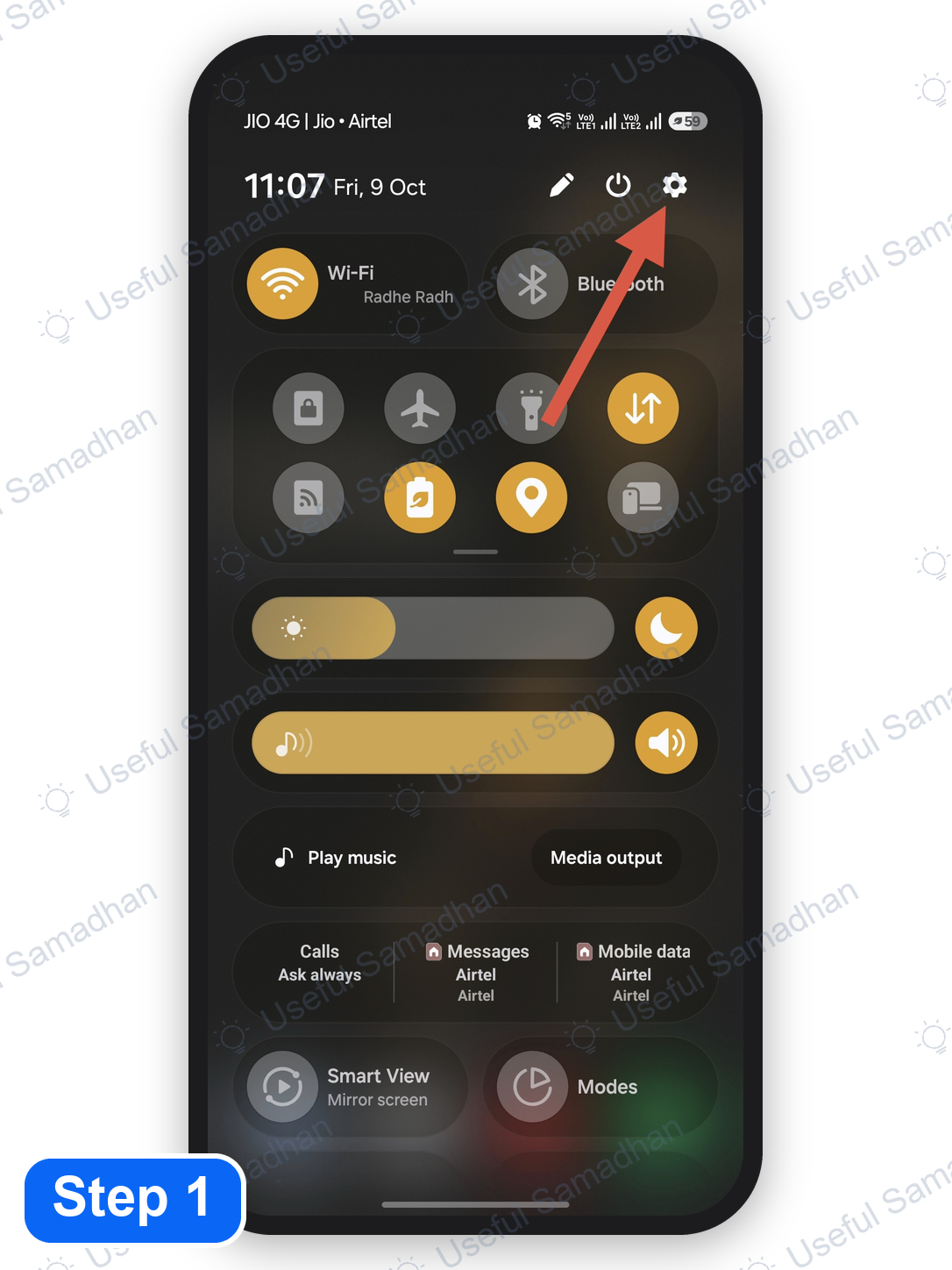
Step 1: Samsung मोबाइल में Settings app खोलना

Step 1

Settings खोलें

Samsung मोबाइल में Settings app खोलें.
Step 2: Samsung Settings में Notifications option खोलना

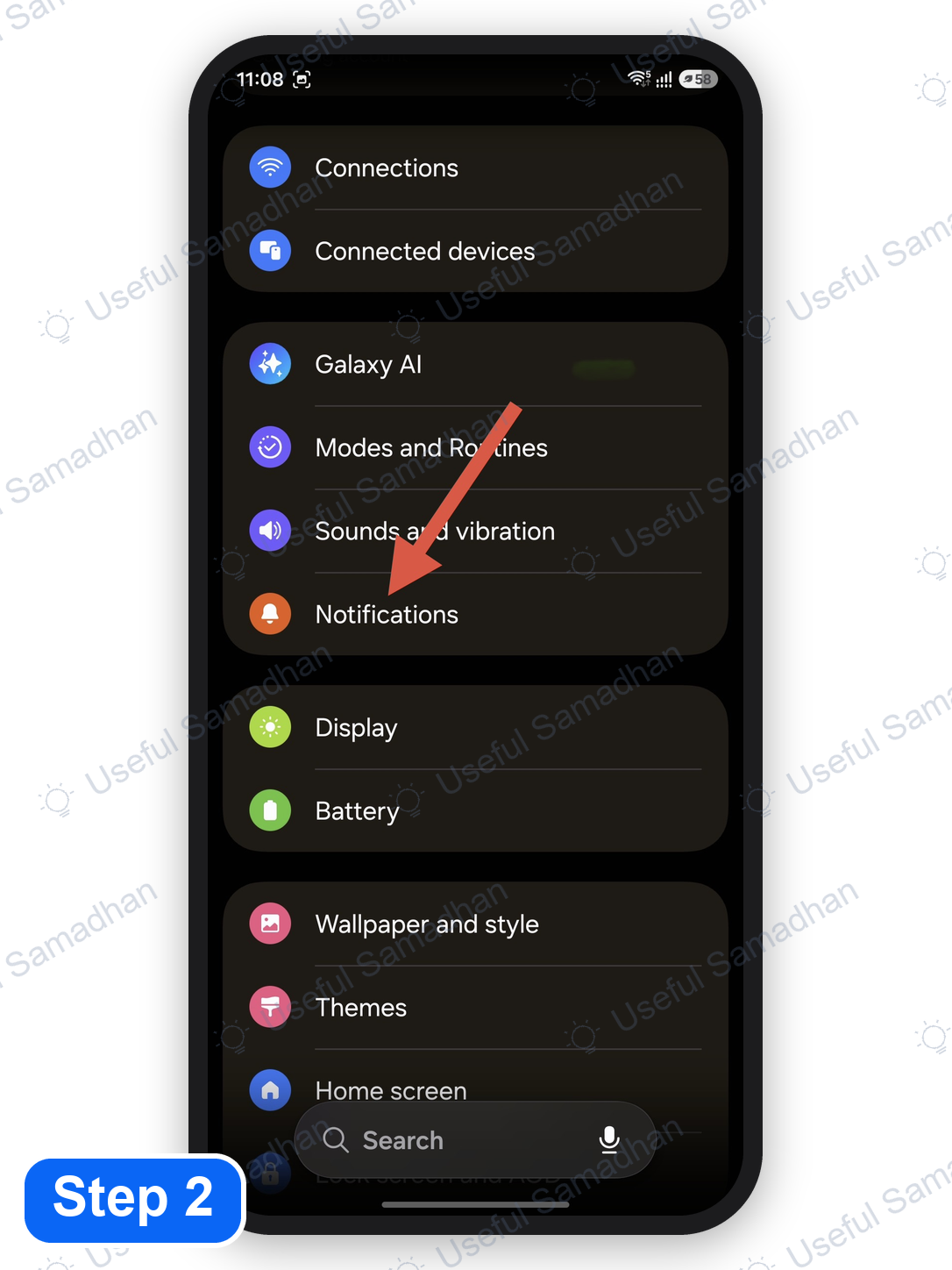
Step 2

Notifications में जाएँ

Settings में Notifications option पर tap करें.
Step 3: Samsung Notifications page में Advanced settings खोलना

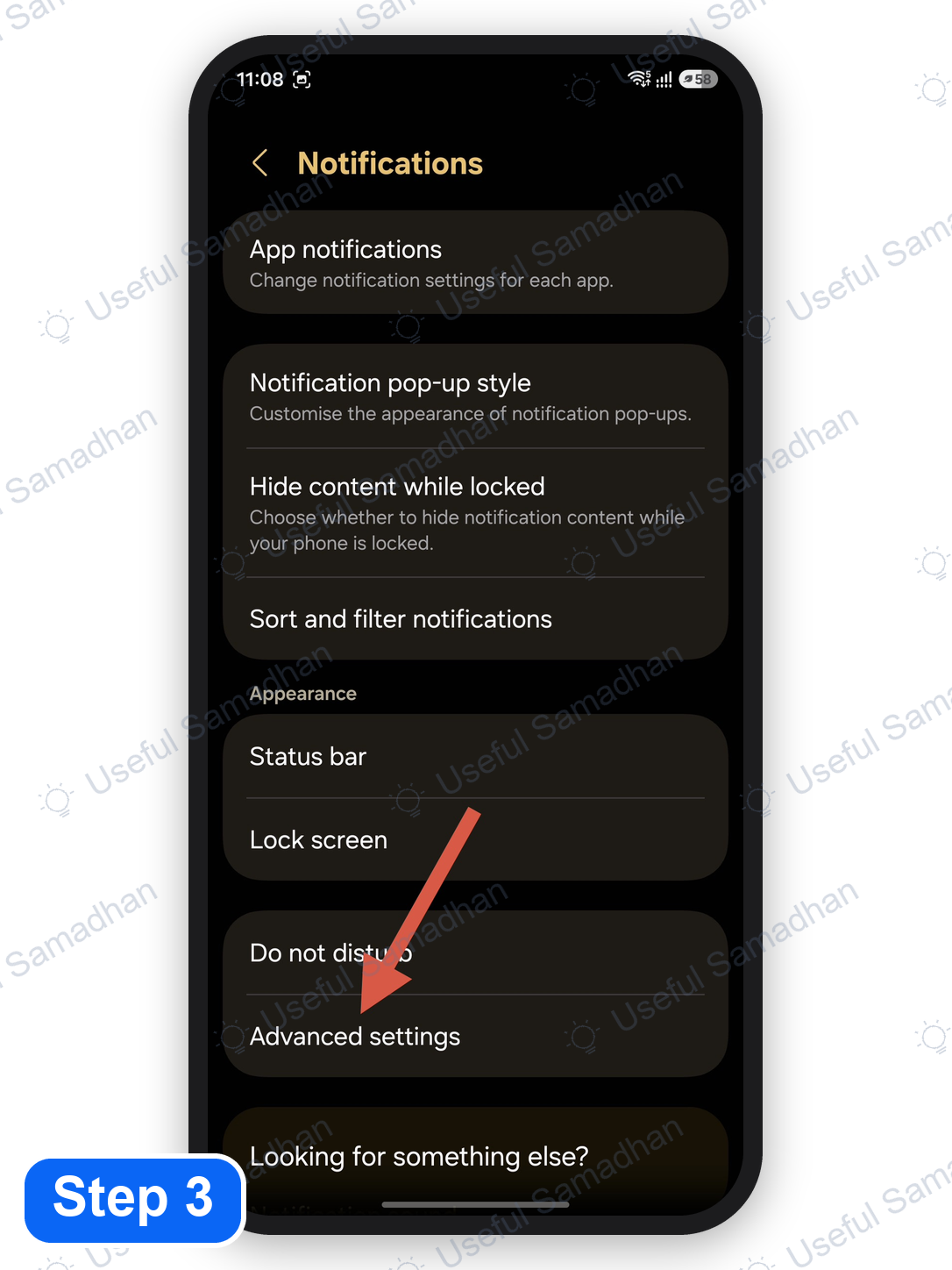
Step 3

Advanced settings खोलें

Notifications page में नीचे जाकर Advanced settings पर tap करें.
Step 4: Samsung Advanced settings में Notification history खोलना

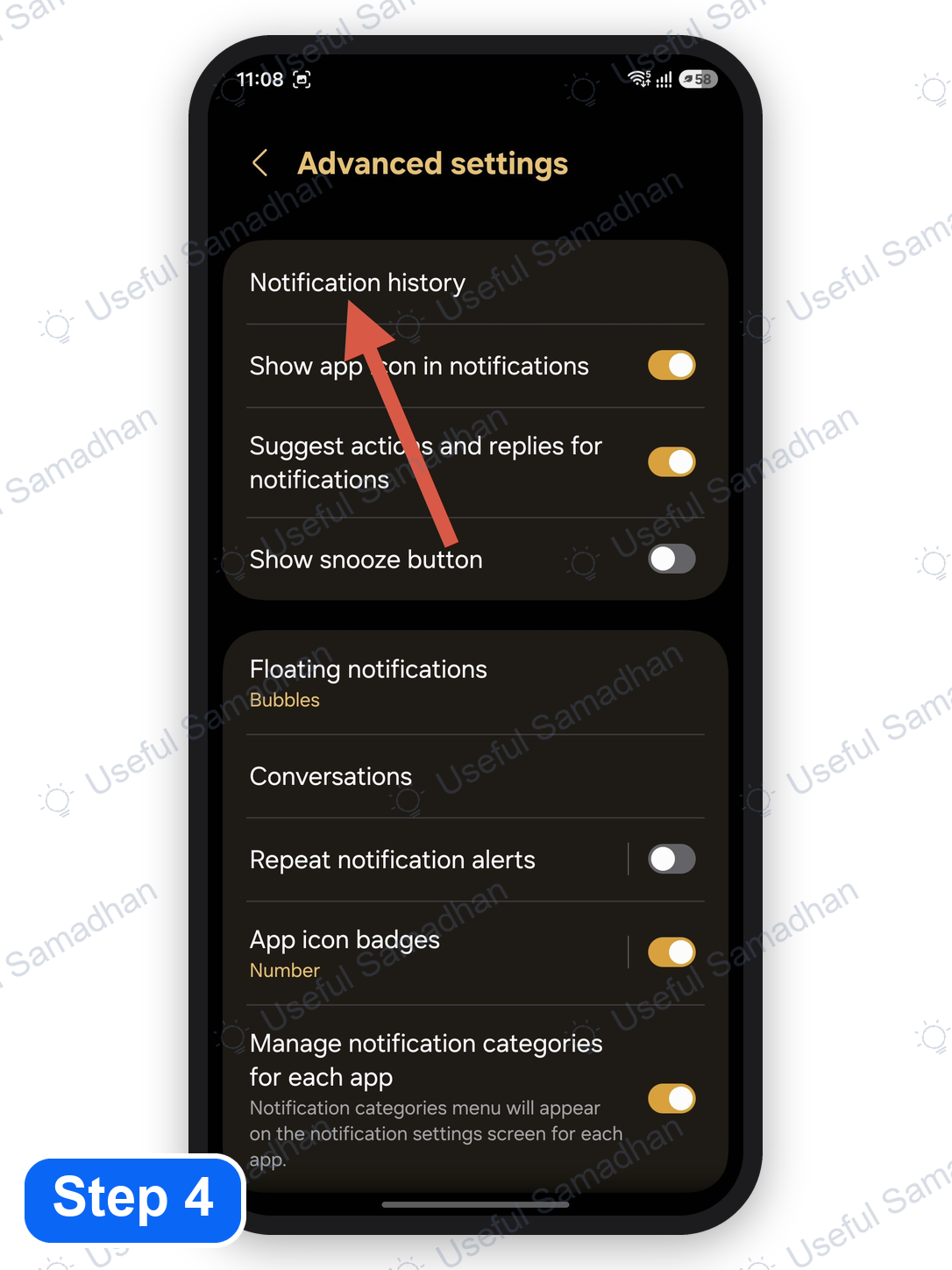
Step 4

Notification history खोलें

Advanced settings में Notification history option पर tap करें.
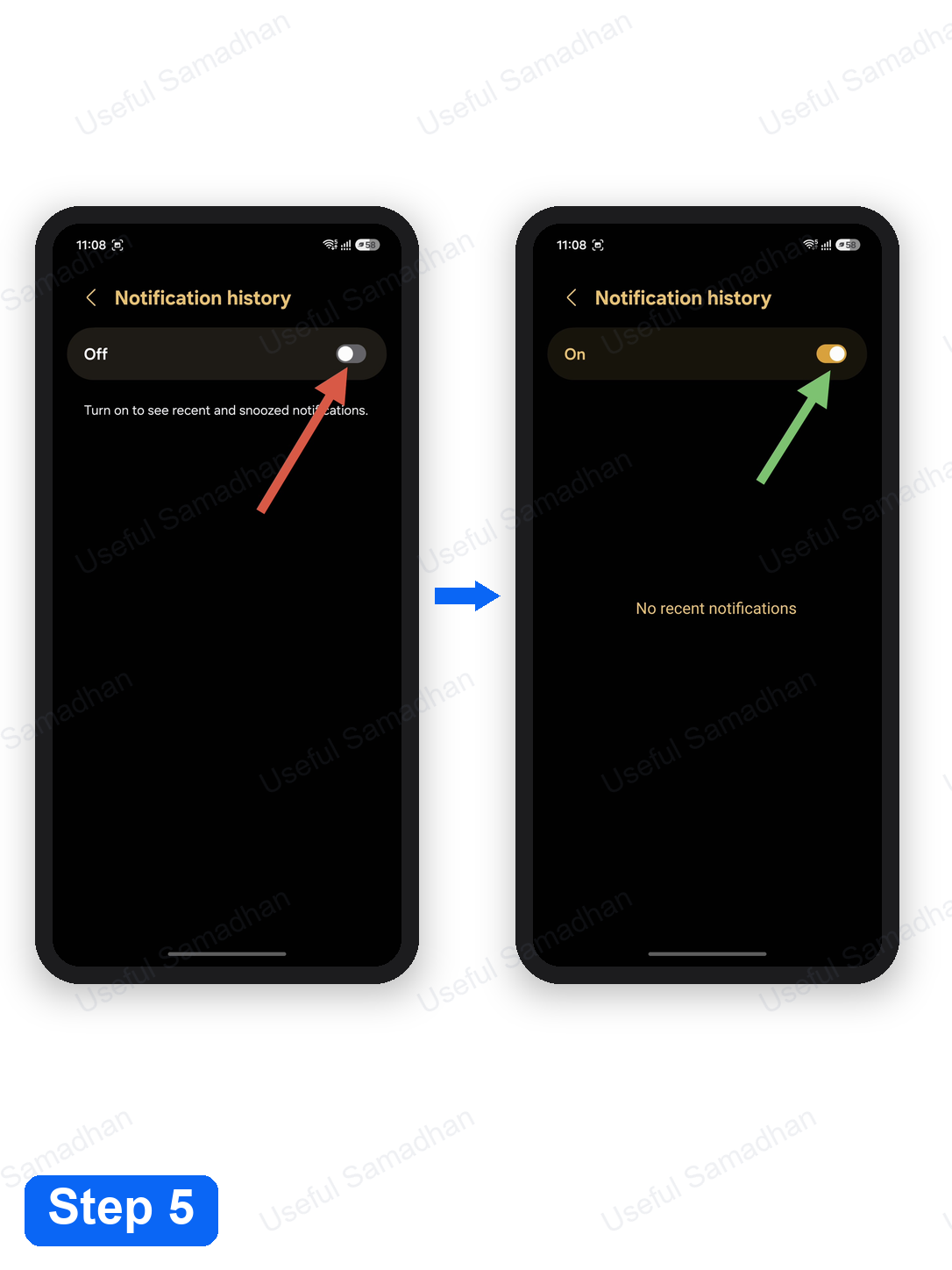
Step 5: Samsung Notification history toggle OFF से ON करना

Step 5

Notification History ON करें

अगर Notification history OFF है, तो इसका toggle ON कर दें।

इसके बाद dismiss/clear होने वाली Notifications इसी page पर Recently dismissed section में देखी जा सकेंगी.

ध्यान रखें

  • अगर Notification History पहले से OFF है, तो पुरानी Notifications की history store नहीं होती। इसे ON करने के बाद आने वाली Notifications ही आगे history में दिखाई देंगी।
  • Notification History में आमतौर पर पिछले 24 घंटे की Notifications दिखाई देती हैं। जैसे-जैसे कोई Notification 24 घंटे पुरानी होती जाती है, वह हटती जाती है और नई Notifications जुड़ती रहती हैं।
  • Clear/dismiss की गई Notifications Recently dismissed section में देखी जा सकती हैं।
  • Menu का नाम या location Samsung model और One UI version के हिसाब से थोड़ा अलग हो सकता है।
  • Tested On: Samsung Galaxy S23 — One UI 8.5 (Android 16)

Frequently Asked Questions

क्या Clear की गई Notification वापस देख सकते हैं?

हाँ, अगर Notification History पहले से ON थी, तो Clear/dismiss की गई Notifications को Notification History में देख सकते हैं।

अगर Notification History OFF थी, तो पुरानी Notification वापस मिलेगी?

नहीं। Notification History OFF रहने के दौरान पुरानी Notifications store नहीं होतीं। ON करने के बाद आने वाली Notifications ही आगे दिखाई देंगी।

Notification History कितने समय तक रहती है?

आमतौर पर Notifications लगभग 24 घंटे तक history में रहती हैं। इसके बाद पुरानी entries हटती जाती हैं।

Clear की गई Notifications कहाँ दिखाई देती हैं?

Notification History के अंदर Recently dismissed section में।

क्या हर Samsung मोबाइल में Notification History का option होता है?

यह option model और One UI/Android version के हिसाब से अलग हो सकता है। Menu location भी थोड़ा बदल सकता है।